 Speak Teleprompter
How to choose a teleprompter app: a short checklist
Choose a teleprompter app by how it scrolls (steady or voice-following), whether it records video, which scripts it can import, which languages it supports and how it handles your data. Test it with a real script before you pay.
Checklist
- Scrolling: does it follow your voice, scroll at a steady speed, or both?
- Recording: can you record on the front camera inside the same app?
- Scripts: can you write, paste and import TXT, DOCX or PDF files?
- Languages: does voice-follow support your language?
- Comfort: text size, mirror mode and speed controls.
- Privacy: where do your scripts and videos go?
- Price: is there a free trial and a clear cancel option?
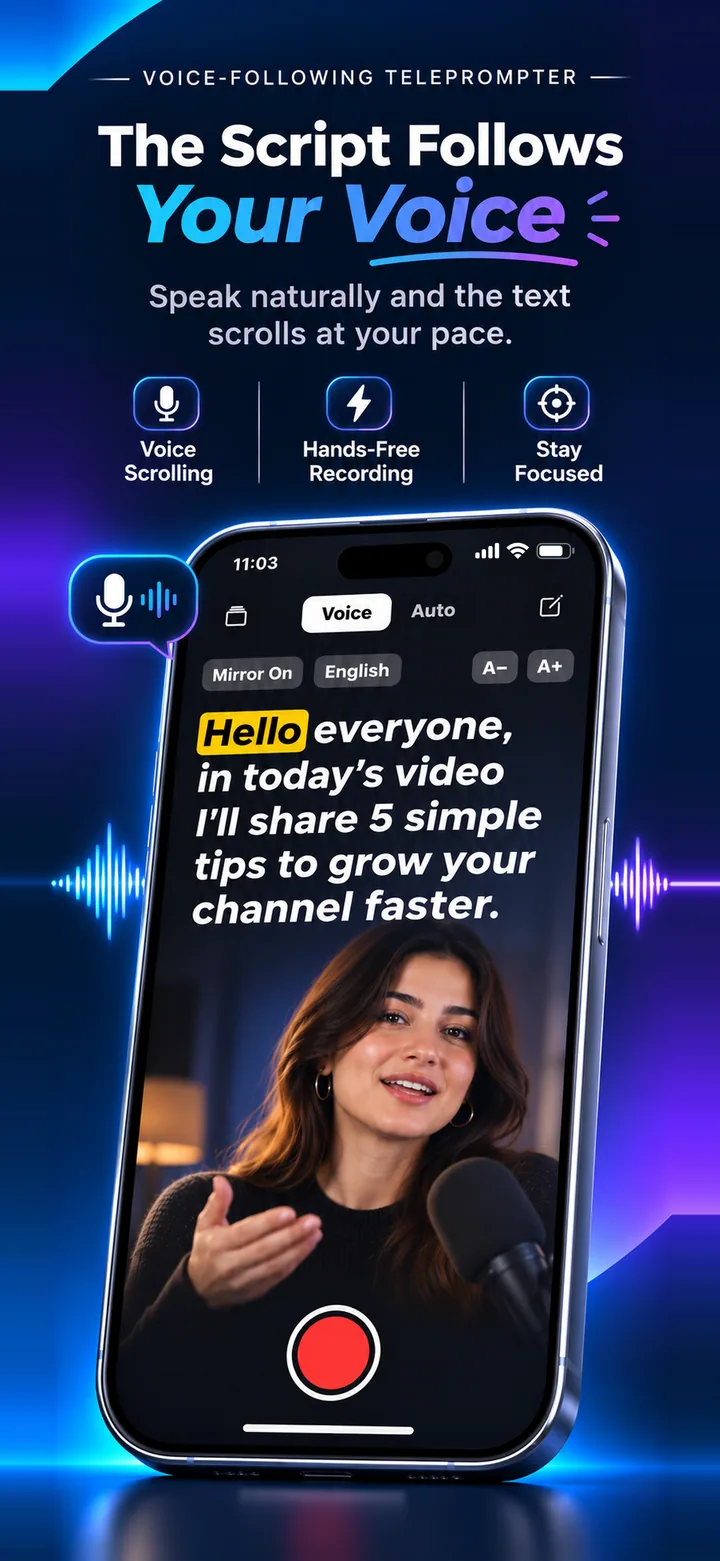
Where Speak Teleprompter fits
It offers both voice-follow and auto-scroll, records on the front camera, imports TXT, DOCX and PDF, supports voice-follow in 11 languages and keeps scripts and recordings on your device. It is iPhone only.
Test before you commit
Paste a real 30-second script, record one take and watch it back. If the pace and text size feel right, the app suits you.
Frequently asked questions
Is Speak Teleprompter on Android?
No. It is available for iPhone.
Does it need an account?
No account is needed.
Which is better, voice-follow or auto-scroll?
It depends on how you read. See our comparison of the two modes.
Try it on your iPhone
Speak Teleprompter scrolls your script as you speak and records on the front camera. Free to try.
Download on the App Store