 Speak Teleprompter
Practise speeches and presentations with a teleprompter
A teleprompter on your phone lets you rehearse a speech or presentation by reading from your script while it follows your voice. Record a run-through, watch it back and adjust the wording and pace.
Download on the App StoreFree to try on iPhone · No account
Rehearse a speech with Speak Teleprompter
- Import your speech as TXT, DOCX or PDF, or paste it into a new script.
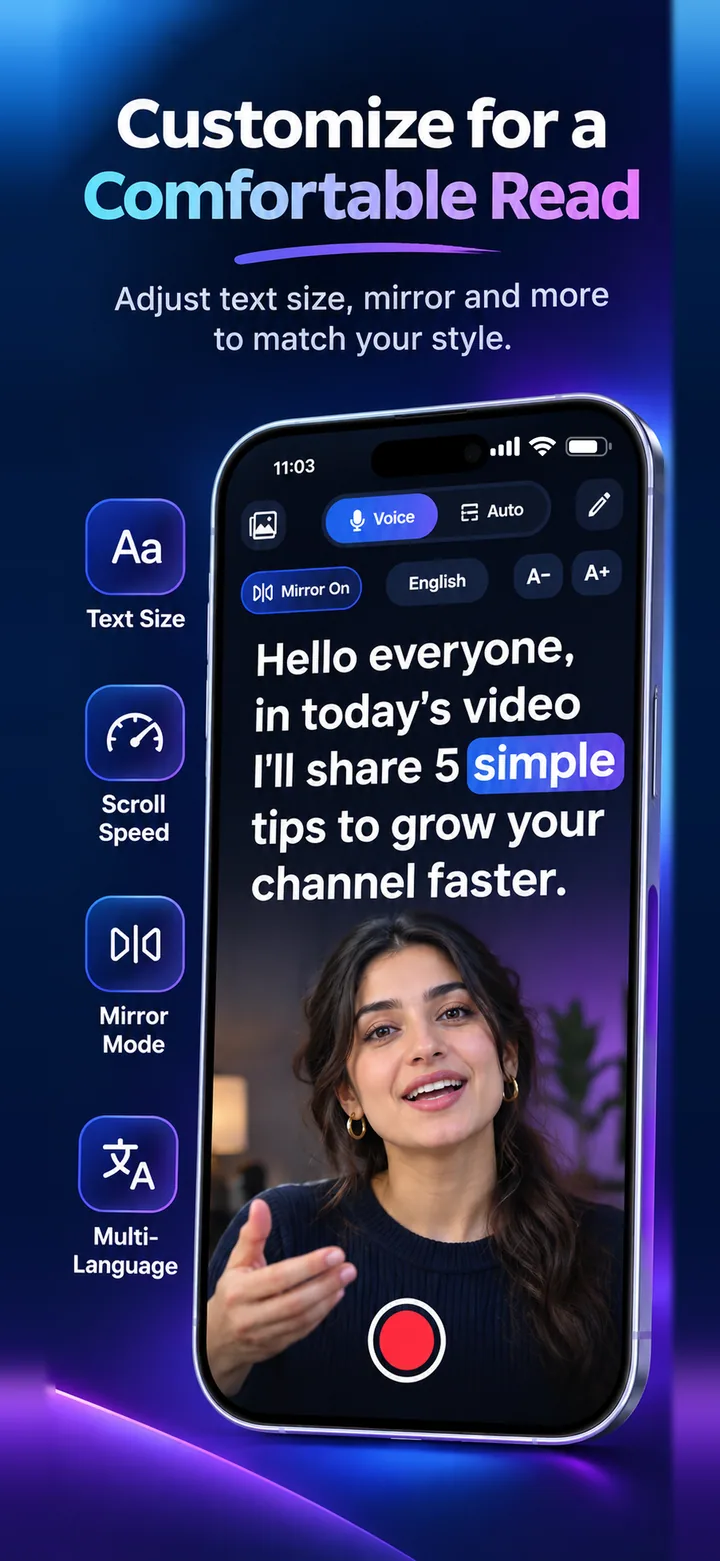
- Choose Voice mode so the text follows your pace.
- Record a full run-through on the front camera.
- Watch it back in Photos and note where you rush or pause too long.
- Edit the script and repeat until it feels natural.
Check the length before the day
Each script shows its word count and an estimated time, so you can see if it fits your slot.
Practise without notes in your hand
Reading from the screen keeps your hands free and your head up, which helps you rehearse your posture and gestures too.
Frequently asked questions
Can I use it live on stage?
It is designed for recording yourself with the front camera and for practice.
Does it work with a PDF of my slides notes?
You can import PDF text. Image-only PDFs may not contain text to import.
Can I practise in another language?
Yes, voice-follow supports 11 languages. Free includes English plus one more.
Try it on your iPhone
Speak Teleprompter scrolls your script as you speak and records on the front camera. Free to try.
Download on the App Store